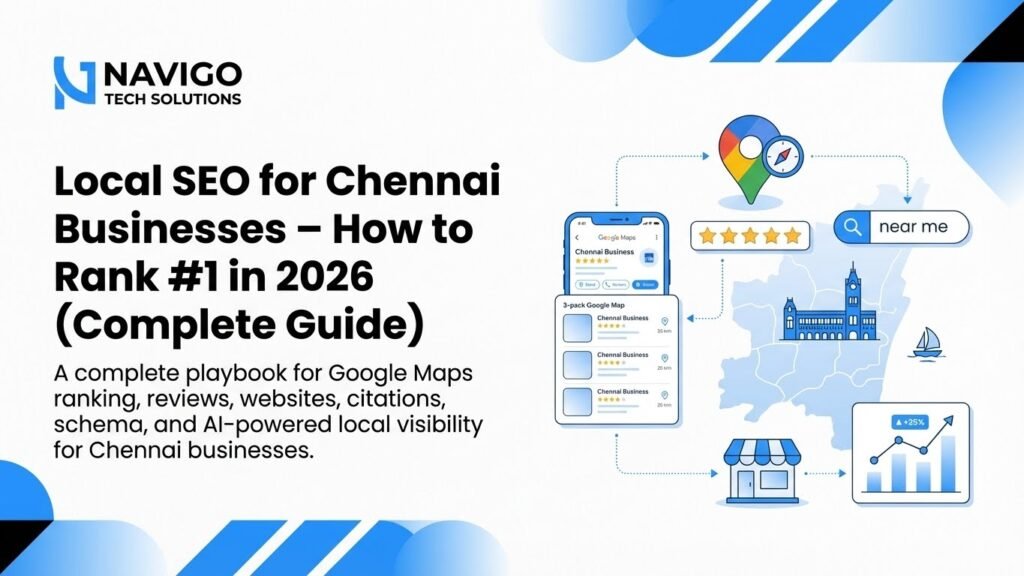
- The three ranking layers Google checks before showing local results
- A 6-step checklist to push your page up within 24 hours
- How to use Google Business Profile for immediate visibility
- Why content freshness and local signals matter more than backlinks for area keywords
What Does Ranking in 24 Hours Really Mean?
When we talk about ranking #1 on Google search for keywords in your area within 24 hours, we are not talking about competitive national terms like “best laptop” or “online clothing store”. Those take months. We are talking about local intent keywords such as “best biryani in T Nagar”, “emergency plumber in Velachery”, or “CA near Anna Nagar”. These phrases have lower competition and higher buyer intent.
Google treats local searches differently. If someone searches for a service near them, the search engine prioritises relevance, distance, and prominence. That means a small business with a well-optimised Google Business Profile can outrank a big national brand that has no physical presence in the area. Your goal is to align every signal Google checks in your favour, and quickly.
The truth is, Google does not wait weeks to index new or updated pages. In many cases, small changes to your title tags, headers, and local schema can be picked up within hours. Combine those with a strong local profile, and you have a real shot at appearing on the first page the same day.
However, this works only if your website is already indexed and has some basic authority. If you are starting from zero, 24 hours is tight, but still possible with the right combination of steps. Our team at NaviGo Tech Solutions has done this for several Chennai-based businesses, and we will share the exact playbook below.
Why Local Keywords Rank Faster Than National Ones
Local keywords rank faster because the competition pool is extremely small. When someone searches for “dentist in Adyar”, Google only shows a handful of businesses that are physically close to that area. National rankings depend on authority, backlinks, and domain age. Local rankings depend on proximity, relevance, and your Google Business Profile health. That is why a new local business can rank quickly while a large e-commerce site struggles.
Google’s Three Local Ranking Factors
Google uses three main signals for local search. Relevance means your business category and services match what the user is searching for. If you sell footwear but appear for “shoe repair”, Google will not show you. Keep your categories precise and your content aligned with your actual services.
The Distance Advantage
Distance is simple: the closer your business is to the searcher, the higher you appear. This is why you must mention your locality, landmarks, and service areas in your website content and profile. If you are in Chennai but serve OMR and Porur, list those areas clearly. Google uses this to match you with nearby searches.
Prominence Through Reviews and Signals
Prominence is about how well-known your business is. Reviews, local citations, and consistent NAP (Name, Address, Phone) details all contribute. A business with 50 recent Google reviews will always beat a competitor with 5, even if the competitor is slightly closer. This is where most Indian businesses lose out, and it is also the fastest area to improve.
If you need help building your local presence, check out our Local SEO Guide for Chennai, which covers these signals in detail with local examples.
Your 6-Step Action Plan to Rank in One Day
Here is a practical sequence you can follow today. These steps take about three to four hours of focused work, and they target the signals Google can process quickly.
- Step 1: Optimise Your Title Tag and H1 with Your Area Keyword. Your page title should include your primary keyword plus your locality. For example, “Best Boutique in Mylapore | Chennai Women’s Wear”. This tells Google exactly what you offer and where. Do not keyword-stuff; keep it natural and readable.
- Step 2: Inject Your Area Name into the First 100 Words. Google scans the beginning of your page to understand context. Mention your locality, nearby landmarks, and the neighbourhoods you serve in the first paragraph. This helps with relevance and also makes your page feel local to readers.
- Step 3: Update Your Google Business Profile Fully. Add new photos, update your services list, and post a short update about a current offer. Google rewards active profiles. If your profile has been dormant, this simple activity can boost your visibility in the Map Pack within hours.
- Step 4: Add Local Schema Markup. This is structured data that tells Google your address, phone number, and service area. It is not visible to users but makes your business details crystal clear to the search engine. Use LocalBusiness schema on your contact page.
- Step 5: Request 5 to 10 Fresh Reviews. Ask your recent happy customers to leave a Google review today. New reviews with text and photos carry a lot of weight. Even a handful of new reviews can push your prominence score up noticeably.
- Step 6: Get a Local Link or Citation. One quality mention from a local directory, a chamber of commerce listing, or a local news article can strengthen your local authority. Even a single citation from a Chennai business directory helps.
Once these steps are done, request Google to re-crawl your homepage using the URL Inspection tool in Search Console. This forces Google to look at your updated page immediately, rather than waiting for the next natural crawl. That is often the final push you need.
Common Mistakes That Delay Your Rankings
Many Indian businesses fail to rank quickly because they make avoidable errors. Here are the most common ones we see, and how to fix them.
Using the Same Keyword Across Multiple Pages
If you have three pages all targeting “best salon in Chennai”, Google gets confused about which one to show. Instead, create one dedicated landing page per service or location. For example, “best salon in T Nagar” on one page and “bridal makeup in T Nagar” on another. This gives each page a clear job and helps it rank faster.
Ignoring the Google Business Profile Q&A Section
Most businesses set up their profile and forget it. The Q&A section is a ranking opportunity. Post common questions customers ask, and answer them clearly. This activity signals engagement. You can also use the posts feature to share offers, which appears in your profile and adds freshness signals.
Neglecting Mobile Page Speed
Most local searches in India happen on mobile phones. If your site takes more than three seconds to load, people leave, and Google notices the high bounce rate. Compress your images, remove heavy scripts, and use a simple theme. Speed is a ranking factor, and for local searches it matters even more because users are often on the move.
For a deeper look at what affects your visibility, read our article on Social Media SEO in 2026. It explains how platforms beyond Google now influence search results.

Tools and Tactics Comparison for Fast Local Wins
You do not need expensive software to rank quickly. The following tools cover what you need for fast local wins. Some are free, some are cheap, and each serves a specific purpose in the 24-hour plan.
| Tool / Tactic | Primary Use | Cost | Time to Impact |
|---|---|---|---|
| Google Business Profile | Map Pack visibility, reviews, posts | Free | 24 to 48 hours |
| Google Search Console | Request indexing, monitor keywords | Free | Immediate for re-crawl |
| Schema Markup Generator | Add LocalBusiness structured data | Free | 24 to 72 hours |
| Local Citation Sites (JustDial, IndiaMART) | Build NAP consistency | Free to low | 2 to 5 days |
| Review Management Apps | Automate review requests | Rs 500 to Rs 2,000/month | Immediate with new reviews |
| PageSpeed Insights | Test and improve mobile speed | Free | Same day after fixes |
Use these in the order listed. Start with the free tools, get your profile and page right, then add citations and reviews. This sequence matches how Google evaluates local signals. If you want a team to handle all of this for you, our AI digital marketing services include local SEO management with monthly reporting.
Not sure which tool fits your business?
Our team at NaviGo Tech Solutions will set it up for you — free 30-minute strategy call.