- Container caching reduces model training time by reusing downloaded images
- Indian businesses save 30% to 50% on SageMaker compute costs
- Setting up caching takes less than 10 minutes via the AWS console
- This update makes AI model deployment more accessible for small teams in Chennai
What Is Container Caching on SageMaker?
Amazon SageMaker is a fully managed machine learning service used by developers and data scientists to build, train, and deploy models. When you run a training job, SageMaker pulls a container image from Amazon ECR or another registry. This download happens every single time you start a new job, even if the image has not changed. The new container caching feature stores that image on the local storage attached to your training instance. The next time you run a job with the same image, SageMaker uses the cached copy instead of downloading it again. This saves bandwidth and, more importantly, reduces the time your instance sits idle waiting for the image to arrive. For Indian businesses operating in the Mumbai region, this directly translates into lower compute costs and faster iteration cycles. If you are building a recommendation engine for an ecommerce store or fine tuning a chatbot for customer support, every second counts. Container caching effectively eliminates one of the hidden inefficiencies in the training workflow. You do not need to change your code. You simply enable the feature at the job level, and SageMaker handles the rest.
Why This Matters for Indian Businesses in 2026
Many small business owners in Chennai and across India are exploring AI to automate tasks, generate content, and analyse customer data. But the cost of cloud compute has been a real barrier. Every training run adds up, especially when you experiment with different models and parameters. Container caching directly addresses this pain point by cutting the time spent on image downloads. For a team running 50 training jobs a month, the savings can easily cross several thousand rupees. And because the feature is now live in the Mumbai region, there is no cross region latency. You get the benefit right here.
Faster Experimentation Cycles
When you are testing different model architectures or hyperparameters, you often run many jobs in quick succession. With caching, the second and third jobs start much faster because the container is already present. This makes it feasible for small teams to experiment more without blowing their budget.
Lower Bills for Small Teams
Indian startups and agencies often run on lean budgets. Every rupee saved on infrastructure can be reinvested into marketing, hiring, or product development. Container caching reduces the wall clock time of training jobs, which means you pay for fewer instance hours. Over a quarter, that adds up.
Better User Experience for Chennai Clients
If you are an AI digital marketing agency like NaviGo Tech Solutions, you may run multiple model training jobs for different clients. Caching ensures that each job finishes sooner, so you can deliver results faster. Your clients see quicker turnaround times, which builds trust and satisfaction.
Easier Onboarding for New Users
Newcomers to machine learning often feel intimidated by long setup times and unpredictable costs. Container caching simplifies the process. You can run your first training job, then quickly iterate without worrying about repeated image downloads. This lowers the entry barrier for Indian entrepreneurs who want to use AI but lack deep cloud expertise.

How to Enable Container Caching for Your SageMaker Projects
Enabling this feature is straightforward. Follow these steps to start saving time and money on your next training job.
- Step 1: Log into the AWS Management Console and navigate to Amazon SageMaker. Ensure your region is set to Asia Pacific (Mumbai). This is where the caching feature is available.
- Step 2: Create or edit a training job. Under the ‘Resource configuration’ section, you will find an option for ‘Container caching’. Toggle it on. If you do not see this option, make sure your SageMaker Studio version is updated.
- Step 3: Choose your training image. Use an image from Amazon ECR, Docker Hub, or a private registry. The caching works with any image that has a stable URI. Avoid using images that change frequently, as that reduces caching benefits.
- Step 4: Specify an instance type. Caching works with all supported SageMaker instance types. For small experiments, ml.t3.medium is a cost effective choice. For larger models, consider ml.g5 instances.
- Step 5: Run your first job. The initial run will download the image and cache it. Subsequent jobs using the same image will skip the download and start training immediately. You can verify this in the CloudWatch logs.
That is it. You do not need to modify your training script or change your data pipeline. The feature works transparently. If you need help integrating SageMaker into your existing workflow, our team at NaviGo Tech Solutions offers AI strategy consulting to help you set up efficient training pipelines.
Common Mistakes to Avoid with Container Caching
Even a helpful feature can be misused. Here are the most common pitfalls Chennai businesses face when using container caching on SageMaker.
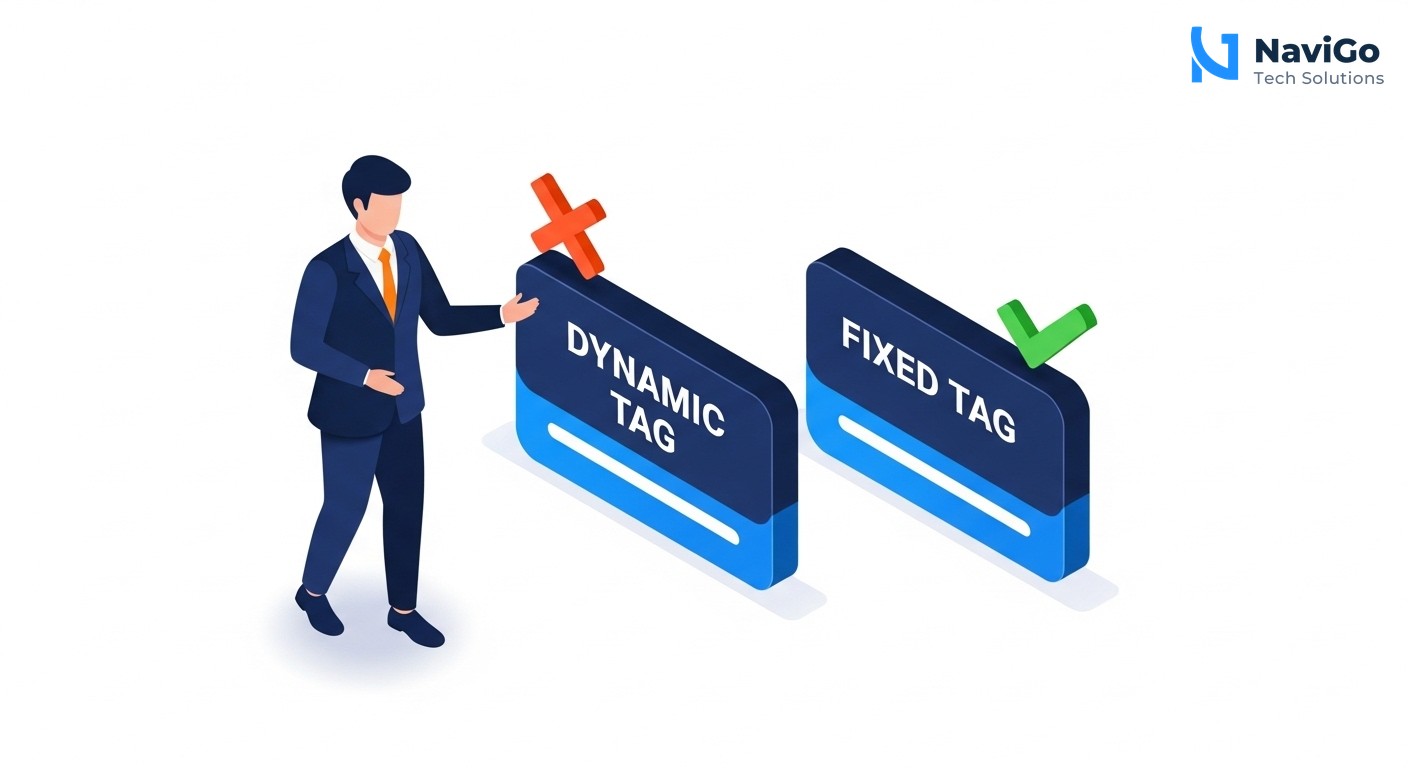
Using Dynamic Image Tags
If you tag every container image as ‘latest’ or include a timestamp, SageMaker treats each tag as a new image. Caching does not help because the image is never reused. Always use a fixed tag like ‘v1.0’ or a commit hash for your training images. This ensures the cache hits repeatedly.
Running Jobs on Different Instance Types
The cache is stored on the local storage of the training instance. If you switch between instance types frequently, the cache may not carry over. Plan your experiments to use a consistent instance family for related jobs. This maximises cache reuse and keeps costs low.
Ignoring the Cache Eviction Policy
SageMaker automatically evicts older cached images when storage space runs low. If you run many large jobs with different images, the cache might not hold all of them. Prioritise your most frequently used images. You can also monitor cache usage via CloudWatch metrics to understand when evictions happen.
Not Testing with a Small Job First
Some users enable caching and immediately run large training jobs. If your image is several gigabytes, the first run still takes time to download. Test with a small job to confirm caching is working before scaling up. This prevents surprises during expensive training runs. For more on optimising your AI workflows, see our guide on top 25 AI tools in 2026.
Comparison of SageMaker Caching Options
AWS offers several caching features in SageMaker. Container caching is the newest addition for the Mumbai region. The table below compares it with the other caching mechanisms available so you can choose the right combination for your project.
| Feature | What It Caches | Region Availability | Best For |
|---|---|---|---|
| Container Caching | Docker container images | Mumbai (launched 2026) | Frequent training jobs with the same image |
| Data Caching (SageMaker Pipelines) | Intermediate datasets | All commercial regions | Repetitive data transformations |
| Model Caching (Endpoint) | Trained model artifacts | All commercial regions | Low latency inference at scale |
| Checkpoint Caching | Model checkpoints during training | All commercial regions | Resuming interrupted training jobs |
| Spot Instance Cache | Instance metadata and temporary files | All commercial regions | Cost effective training on spot instances |
| Hybrid Caching (All combined) | Images + data + checkpoints | Mumbai and others | End to end pipeline optimisation |
For Indian businesses, combining container caching with data caching offers the biggest payoff. Your training images and your processed datasets both get reused, reducing total runtime by up to 60%. If you want to implement this in your business, our AI ads and automation services can help you design a caching strategy tailored to your workload.
Not sure which tool fits your business?
Our team at NaviGo Tech Solutions will set it up for you — free 30-minute strategy call.