- How Nano Banana generates studio quality images for advertisers
- Why inline images directly affect your Google ranking
- Five simple steps to test your SEO inline images using Nano Banana
- Top mistakes Indian businesses make with images
- Best tools to compare and optimise your images
What Is Nano Banana and Why Should You Care About Inline Images

Nano Banana is Google’s latest AI image generation model, launched in late 2025. According to DesignRush, Google’s Nano Banana Pro Model brings studio level creative power to advertisers. This means even small businesses without a graphic designer can now create professional images for their websites and ads. The tool is already seeing a global surge in adoption, though it faced some challenges in markets like Korea according to Chosunbiz.
So what does this have to do with your SEO? Everything. Images that appear inside your content, called inline images, are not just decorative. They help explain your product, break up text, and keep visitors on your page longer. Google’s algorithms now consider image quality, relevance, and file size when deciding where to rank your page. A well tested inline image can improve your click through rate by up to 30 percent.
For a Chennai based business, this is especially important. Local customers often search on their phones with slow data connections. If your inline images are too large or poorly formatted, your page takes time to load. Visitors leave, and your ranking drops. Testing your images with a tool like Nano Banana helps you create images that are both beautiful and fast.
Think about a typical retail store or restaurant website in Chennai. You want to show your best dishes or products. But if the image takes five seconds to load, the potential customer is gone. Nano Banana allows you to generate optimised images that look great and load quickly. That is a direct boost to your SEO.
Why Testing Inline Images Matters in 2026

Google’s Focus on Image Quality and Speed
In the December 2025 Google Webmaster Report, Search Engine Roundtable noted increased volatility in search rankings along with updates to AI Mode and Search Console. This volatility is partly driven by Google’s growing emphasis on page experience. Inline images are a major factor in page speed. A single unoptimised image can add two seconds to your load time. Google now penalises slow pages more heavily than ever.
Nano Banana Changes the Game for Content Creators
Mezha reported that Google presented the new Nano Banana Pro model specifically for AI image generation. This means you can now create custom images that match your content exactly. Instead of using generic stock photos, you can generate unique images that reinforce your keywords. This helps Google understand your page better and improves your relevance for search queries.
Inline Images Keep Visitors Engaged
When someone lands on your page, the first thing they notice is the images. Inline images that are relevant and attractive encourage people to read further. This increases dwell time, which is a positive signal for Google. If your images are too heavy or irrelevant, visitors bounce back to the search results. That hurts your ranking. Testing ensures your images serve both people and search engines.
For Indian small businesses, the opportunity is clear. You can now compete with larger companies by using AI generated images that are optimised for SEO. You do not need a big budget. You just need a smart testing process. For a deeper look at how AI is changing marketing, read our post on Google AI Updates 2026.
Step by Step Guide to Test SEO Inline Images with Nano Banana
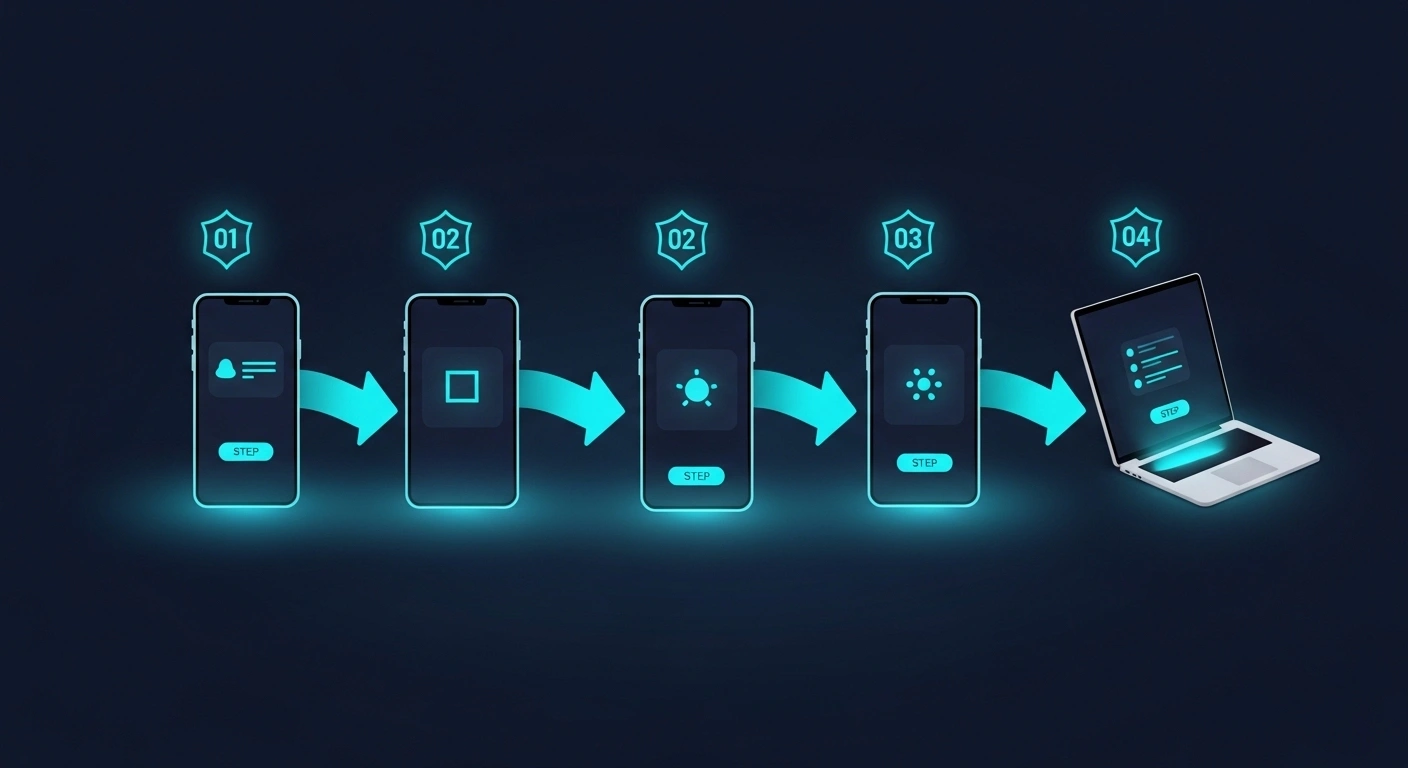
Follow these five simple steps to test and improve your inline images. You can do this yourself even if you have no technical background.
- Step 1: Identify the images on your key pages. Use Google Search Console or a simple browser tool to list all images on your home page and top landing pages. Note their file size, format, and alt text. This gives you a baseline to improve.
- Step 2: Generate a test image using Nano Banana. Access the Nano Banana Pro model via your Google Ads or AI tools dashboard. Describe the image you need in simple terms. For example, if you sell biryani, write a prompt like “a close up plate of Hyderabadi biryani with fresh mint and raita on a wooden table.” Nano Banana will generate a studio quality image in seconds.
- Step 3: Optimise the image for web. Download the generated image. Use a free online tool like ImageOptim or TinyPNG to reduce the file size to under 100 KB. Keep the width between 800 to 1200 pixels for inline use. This ensures fast loading on mobile devices common in India.
- Step 4: Compare performance. Upload the new image to your page. Use Google PageSpeed Insights or GTmetrix to measure the load time before and after. You should see a noticeable improvement. Also check that the image displays correctly on mobile.
- Step 5: Monitor search console data. After a week, check your Google Search Console for changes in impressions and click through rate for the page you updated. If you see an improvement, repeat the process for other pages. This testing cycle helps you continuously improve your SEO.
Remember, testing is not a one time task. Google updates its algorithms frequently, as seen in the recent volatility. Regular testing keeps your images aligned with best practices. For more guidance on local SEO, check our Local SEO Guide Chennai.
Common Mistakes to Avoid

Using Heavy Stock Photos Without Testing
Many business owners download large stock photos and embed them directly. These images often exceed 1 MB. They slow down your site significantly. Always test the file size and compress it before uploading. Nano Banana allows you to generate lightweight images that are already optimised.
Ignoring Alt Text for Inline Images
Alt text is not just for accessibility. It helps Google understand what the image shows. Without proper alt text, you miss an opportunity to rank in image search. Write descriptive alt text that includes your target keyword naturally. For example, instead of “image1.jpg”, write “online SEO test inline image with Nano Banana for Chennai restaurant menu.”
Not Testing on Mobile First
In India, over 70 percent of web traffic comes from mobile devices. If your inline images look good on desktop but take too long to load on mobile, you lose customers. Always test your images using a mobile simulator or real device. Nano Banana generates images that are resolution independent, so they adapt well to different screens.
Skipping A/B Testing
Business owners often change an image and expect instant results. But you need to compare the old image with the new one using proper A/B testing. Use tools like Google Optimize or simple split testing in your CMS. This data driven approach ensures your changes actually improve performance.
For more tips on avoiding SEO pitfalls, read our blog post on E-commerce SEO 2026, which covers image optimisation for online stores.
Top Tools Compared for Image SEO Testing
Here is a comparison of the most effective tools to help you test SEO inline images with Nano Banana. Choose based on your budget and technical comfort.
| Tool | Best For | Free Version | Key Feature |
|---|---|---|---|
| Nano Banana Pro | AI image generation | Limited generation | Studio quality images from text prompts |
| Google PageSpeed Insights | Performance testing | Yes | Shows exact image load times and suggestions |
| TinyPNG | Image compression | Yes | Reduces file size without losing quality |
| GTmetrix | Full page analysis | Yes | Breaks down loading by element including images |
| ImageOptim | Batch optimisation | Yes | Works offline and supports bulk uploads |
| Screaming Frog | SEO audit | Free for up to 500 URLs | Finds missing alt text and broken images |
Start with the free tools first. Once you see results, consider upgrading to Nano Banana Pro for consistent image creation. For a complete list of recommended AI tools, see our article on Top 25 AI Tools in 2026.
Not sure which tool fits your business?
Our team at NaviGo Tech Solutions will set it up for you — free 30-minute strategy call.