- OpenAI added Codex to the ChatGPT mobile app in May 2026 for remote coding tasks
- Indian businesses can use Codex on phone to automate reports, generate marketing scripts, and build simple tools
- Infosys and Cognizant are already integrating Codex for enterprise clients
- India is one of the most advanced AI markets in the world, so mobile AI tools like Codex will grow fast
What Is OpenAI Codex and How Does It Work on Phone


OpenAI Codex is an artificial intelligence model that understands and writes code. It was originally built to help developers write software faster. But in May 2026, OpenAI announced that Codex is now available inside the ChatGPT mobile app for both Android and iOS. This means you can ask the AI to write Python, JavaScript, SQL, or even simple automation scripts using only your phone.
For an Indian business owner, this changes things. Imagine you want to pull sales data from a spreadsheet and send a summary email. Or you need to extract phone numbers from a list of customer inquiries. Or you want to generate a quick landing page for a festival sale. All of these tasks can be done by typing a plain English prompt into ChatGPT on your phone. Codex writes the code, and you run it or copy it.
It does not require you to know programming. You just describe what you want in simple words. The AI handles the technical part. If there is an error, you can tell the AI to fix it. This is not a futuristic idea. It is live now. OpenAI confirmed that India is among the most advanced AI markets globally, so adoption here will be fast.
However, there was a brief outage in April 2026 for ChatGPT and Codex. This shows that no tool is perfect. But for day to day use, Codex on phone is reliable and capable.
Why OpenAI Codex on Phone Matters for Indian Businesses in 2026


India leads in mobile first internet usage
Over 80 percent of internet users in India access the web through a smartphone. Most small business owners do not carry a laptop when they are on the move. Having a coding assistant on your phone means you do not need to wait until you reach your desk. You can create a small automation during your commute or while waiting for a client meeting. This flexibility is a game changer for entrepreneurs in cities like Chennai, Mumbai, Delhi, and Bengaluru.
Enterprise adoption is already happening
Infosys and Cognizant have partnered with OpenAI to bring Codex to their platforms. This is not just for big tech. It shows that Codex is mature enough for serious business use. If large Indian IT firms trust it, small and medium businesses can use it too. The same AI that helps engineers at Infosys can help you build a chatbot or automate invoice generation.
No tech team required for small tasks
Many Indian businesses hire freelancers or agencies for small coding jobs. A simple script to clean data might cost a few thousand rupees. With Codex on your phone, you can do it yourself in minutes. This saves money and time. You can also experiment without pressure. If a script does not work, you ask the AI to rewrite it. There is no project cost or delay.
Recency bias warning from OpenAI
At a recent event, OpenAI’s head for India Pragya Misra warned Indian startups to avoid recency bias while building for an AI first world. This means do not assume that only the newest tool is best. Codex is powerful, but you still need to think about your specific business problem. Use Codex as a tool, not as a magic wand. Combine it with good business sense.
How to Use OpenAI Codex on Your Phone Step by Step

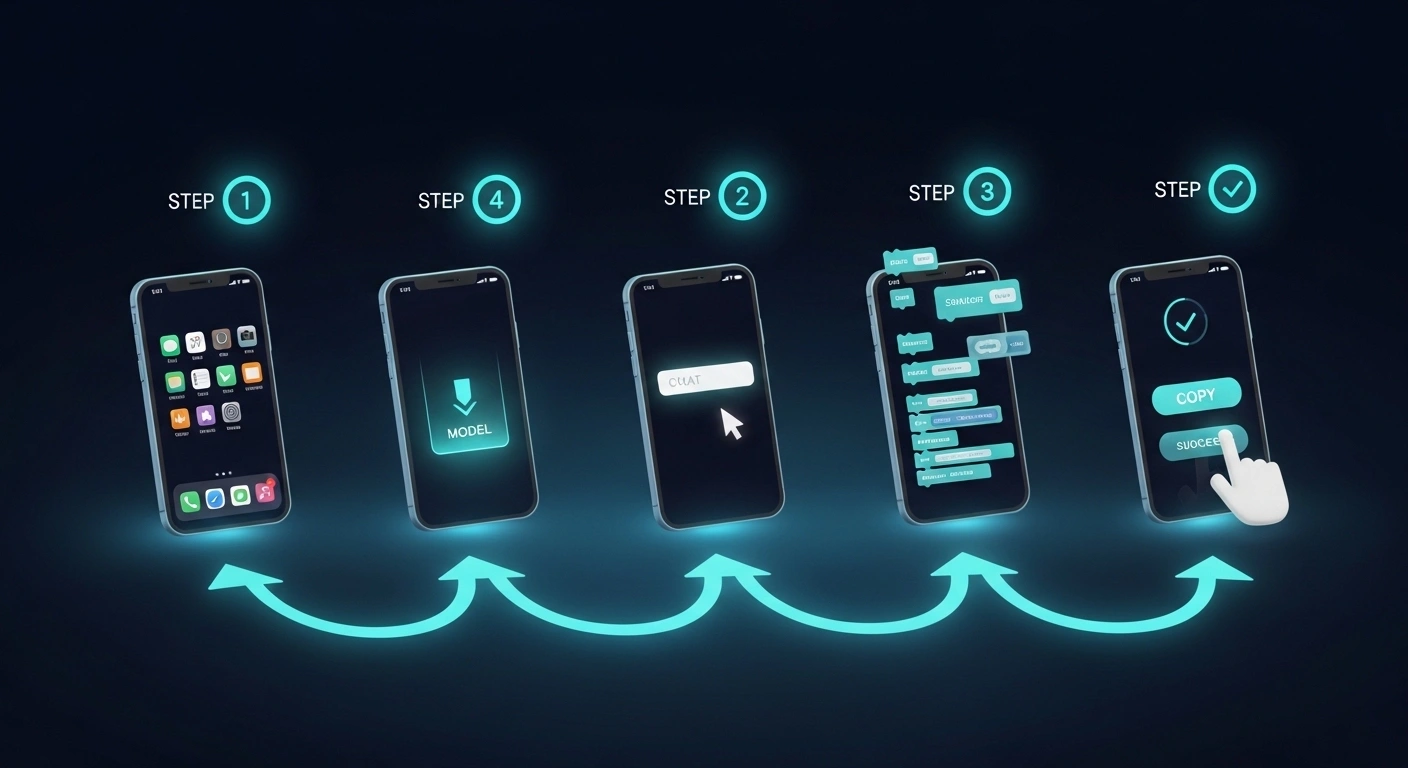
Follow these simple steps to start using Codex on your phone for your Indian business. You need the ChatGPT app and an active subscription. As of May 2026, Codex is available on both Android and iOS through the ChatGPT mobile app.
- Step 1: Download the ChatGPT app from Google Play Store or Apple App Store. Install it on your phone and log in with your OpenAI account. If you do not have a paid plan, you may need to upgrade to access Codex features.
- Step 2: Open a new chat and type your request in plain English. For example, write “Write a Python script that reads a CSV file from my phone storage and counts how many rows have a value above 1000 in column B.” Be as specific as possible. The more context you give, the better Codex will understand.
- Step 3: Review the code that ChatGPT generates. It will appear in a code block. You can copy it. You can also ask the AI to explain what each line does if you want to learn.
- Step 4: Run the code on your phone using a free app like Pyroid or Termux for Python, or use an online compiler like Replit in your phone browser. Some tasks can be run directly within ChatGPT if OpenAI adds execution features later.
- Step 5: If there is an error, copy the error message and paste it back into ChatGPT. Say “Fix this error” and Codex will debug the code for you. This back and forth works very well and saves hours of manual troubleshooting.
That is it. You do not need a computer science degree. You just need to clearly describe what you want. Many Indian business owners we work with use this every week for tasks like sending bulk WhatsApp messages, cleaning lead lists, or generating SEO meta descriptions.
Common Mistakes Indian Businesses Make With AI Coding Tools


Asking for too much at once
One of the most common mistakes is asking Codex to build an entire app in one prompt. Instead, break your task into small steps. For example, first ask for a function that reads data. Then ask for a function that processes it. Then ask for output formatting. Small steps lead to better results. If you need help with a full automation workflow, consider our AI Strategy Consulting to plan it properly.
Using vague language
If you say “Make a tool for my business,” Codex will not know where to start. Be specific. Say “Write a JavaScript function that calculates GST at 18 percent from a total amount and returns the GST value.” Vague prompts give vague code. Specific prompts give usable code.
Not testing the code
AI generated code is not always perfect. You must test it with a small sample before using it on real data. This is true for any tool. Test with dummy data first. If it works, then use it on your actual files. This simple habit will save you from accidental data loss or wrong outputs.
Ignoring security and data privacy
When you use Codex on your phone, you are sending data to OpenAI servers. Do not paste sensitive information like customer bank details, passwords, or confidential business plans. Use dummy data or anonymised information for testing. OpenAI takes privacy seriously, but it is always safer to be cautious. For more on using AI safely, see our guide on GPT-5.2 for Business coding and productivity.
OpenAI Codex vs Other AI Coding Tools for Mobile


There are several AI coding tools available for mobile users. Here is a comparison to help you decide which one fits your Indian business needs. This table is based on features available as of May 2026.
| Tool | Mobile Access | Best For | Cost |
|---|---|---|---|
| OpenAI Codex (in ChatGPT) | Yes, Android and iOS | Writing and debugging custom scripts, automation | Included with ChatGPT Plus (about Rs 2000 per month) |
| GitHub Copilot | No native app, works in browser | Code completion inside editors | Starts at $10 per month (about Rs 850) |
| Replit AI | Yes, mobile app available | Full development environment on phone | Free tier available, paid plans start at $20 per month |
| Tabnine | No native mobile app | Code completion and suggestions | Free limited version, paid from $12 per month |
| Amazon CodeWhisperer | No mobile app | AWS focused coding assistance | Free for individual use |
For Indian small business owners, OpenAI Codex in ChatGPT is the most practical choice because it works inside an app you probably already use. You do not need to learn a separate tool. Just open ChatGPT and start typing. If you want to explore other AI tools for your business, read our post on Top 25 AI Tools in 2026.