- The exact features of the OpenAI Codex Micro keyboard priced at Rs 20,000
- How this device improves agentic AI workflows for Indian teams
- A practical setup guide for Mac and Windows users in India
- Real pitfalls Indian buyers face when ordering imported hardware
- Which tools and services work best alongside the Codex Micro
What Is the OpenAI Codex Micro Keyboard
The OpenAI Codex Micro is a 13-key mechanical keypad designed specifically for OpenAI’s Codex platform. It is not a full keyboard. It is a companion device that sits next to your main keyboard and gives you tactile control over AI coding agents. The device was created in collaboration with Work Louder, a Canadian-Italian accessories maker known for premium input devices.
Inside the box you get the Codex Micro keypad, a USB-C to USB-C cable, and a set of Codex icon keycaps. The keypad has 13 mechanical switches, a touch sensor, a rotary encoder, and a planar joystick. It also includes a voice recorder that lets you send audio prompts directly to your AI agents. The device connects through Bluetooth or USB-C and works with both Mac and Windows operating systems.
The keypad uses RGB lighting to show the status of your AI agents. Six frosted keys provide a live view of your Codex threads. Different colours indicate whether the agent is idle, thinking, complete, needs input, or has encountered an error. This visual feedback helps you stay productive without constantly looking at your main screen.
For Indian developers, this device solves a real problem. When you are working with AI agents, you often need to switch between tasks, monitor progress, and give instructions. The Codex Micro puts these controls at your fingertips. You can launch workflows with the joystick, adjust the agent’s reasoning level with the dial, and check task status at a glance. It makes vibe coding easier and more tactile.
Why OpenAI Built a Dedicated Keypad for AI Coding
OpenAI has made AI coding a key priority. Codex and ChatGPT Work have reached 8 million active users. The company is investing heavily in Codex through advertising campaigns and free usage perks. The Codex Micro is a natural extension of this focus. It signals that OpenAI is all in on Codex and wants to provide a premium hardware experience for power users.
The device also addresses a specific pain point. When you manage AI coding agents, you often need to switch between multiple windows, check agent status, and send instructions. Doing all this on a phone or desktop can slow you down. A dedicated keypad with physical controls changes that. You get instant access to agent commands without breaking your workflow.
For Indian business owners and developers, this matters. As more companies adopt AI tools for coding, the need for efficient workflows grows. The Codex Micro helps you manage multiple agents simultaneously. You can assign tasks, monitor progress, and adjust reasoning levels without touching your mouse or keyboard. This leads to faster development cycles and fewer distractions.
Additionally, the partnership with Work Louder ensures high build quality. Work Louder is known for premium mechanical keyboards and input devices. The Codex Micro comes in clicky and silent versions, letting you choose based on your workspace noise preferences. The keycaps are remappable directly in Codex, giving you full control over your shortcuts. This level of customisation is rare in hardware designed for AI tools.
OpenAI CEO Sam Altman even expressed amusement on X about the demand for the silent version. This shows the device has generated real interest from the developer community. For Indian teams, adopting this hardware could signal a serious commitment to AI-driven development.
How the Device Improves Agentic Workflows
Agentic workflows require constant communication between humans and AI agents. The Codex Micro streamlines this communication by providing physical controls for common actions. You can launch workflows, adjust reasoning levels, and check agent status with dedicated keys and the joystick. This reduces the time spent switching between applications and increases overall productivity.
Why Indian Developers Should Care
India has one of the largest developer communities in the world. Many Indian companies are already using Codex and ChatGPT for coding tasks. The Codex Micro offers a competitive advantage by making agent management faster and more efficient. For agencies in Chennai or Bangalore, adopting this device could improve delivery timelines and reduce cognitive load on developers.
The Strategic Importance for OpenAI
This is OpenAI’s first hardware product. It is separate from the rumoured Jony Ive collaboration, which OpenAI’s CFO says will be revealed by the end of the year. The Codex Micro shows that OpenAI is serious about creating an ecosystem around Codex. By offering a dedicated hardware interface, they are making their AI platform stickier and more valuable for power users.
It also positions OpenAI against other AI coding platforms. If developers invest in hardware that only works with Codex, they are less likely to switch to competitors. This is a classic platform lock-in strategy, but executed with a premium product that delivers real value.
Who Should Buy the Codex Micro
The primary audience is developers and businesses that use Codex heavily. If you manage multiple AI agents, run automated coding workflows, or build complex prompts regularly, this device will save you time. It is also useful for solo entrepreneurs who want a more tactile and focused coding environment. However, if you are a casual user who only occasionally uses AI coding tools, the Rs 20,000 price tag may be hard to justify.
The device is available in both clicky and silent versions. The silent version is more expensive but better suited for open-plan offices and shared workspaces. The clicky version provides satisfying tactile feedback but may be distracting to colleagues. Choose based on your work environment and personal preference.
For Indian teams, consider buying one device to test before ordering in bulk. The import process and customs duties can add to the final cost. Work with suppliers who understand Indian shipping regulations to avoid delays. You can also pair the Codex Micro with other AI agents and bots services from NaviGo Tech Solutions to build a complete AI-powered development pipeline.
How to Set Up and Use the Codex Micro in India
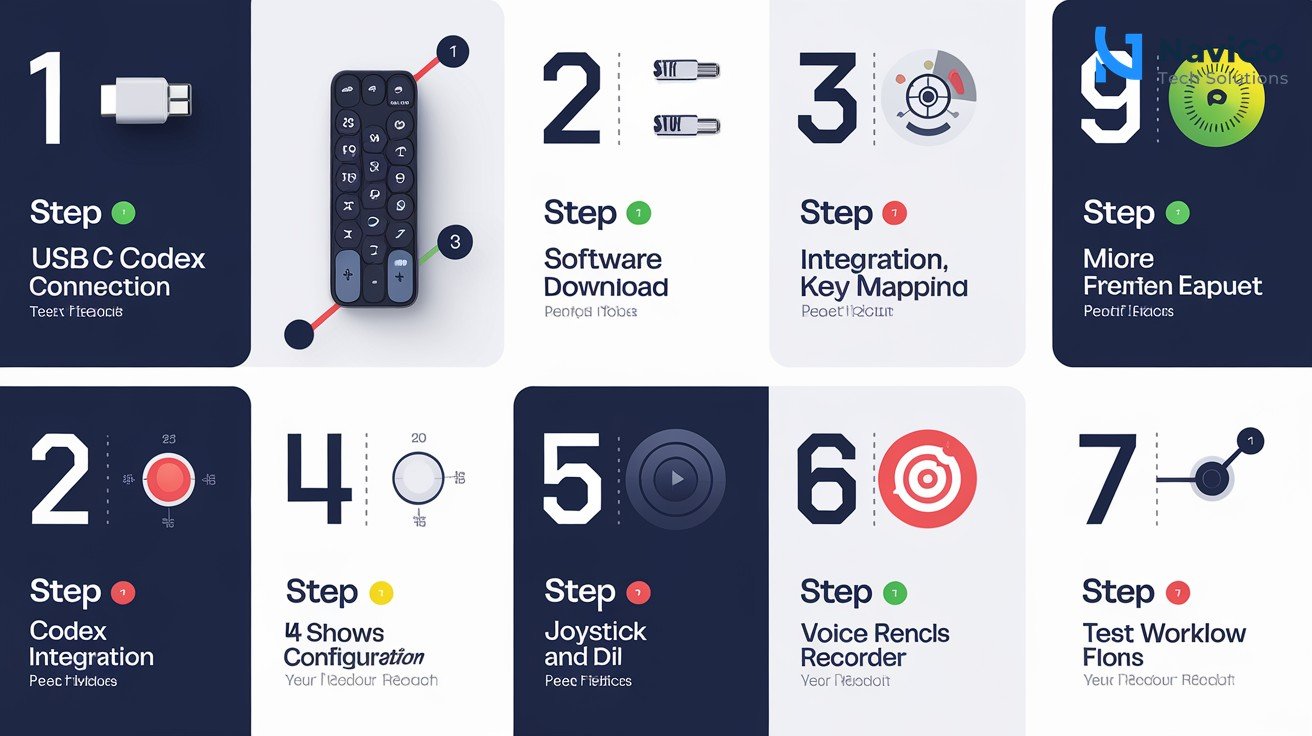
Setting up the Codex Micro is straightforward. Follow these seven steps to get started.
- Unbox and connect: Open the box and connect the Codex Micro to your computer using the included USB-C cable. You can also use Bluetooth for a wireless connection. The device will power on automatically when connected.
- Install the Work Louder Input software: Download and install the Work Louder Input application from their official website. This software lets you map keys, create macros, and configure the joystick and dial. It supports up to six programmable layers, giving you extensive customisation options.
- Open Codex on your desktop: Ensure you have the Codex desktop app installed and you are logged into your OpenAI account. The Codex Micro will automatically integrate with Codex once the app is running. You can start using the agent keys immediately.
- Map the agent keys: The default mapping includes agent keys that show task status. You can remap these keys in Codex to suit your workflow. Common actions include launching a new agent, stopping an agent, requesting input, and checking progress.
- Configure the joystick and dial: The joystick is used to launch workflows. The dial adjusts the agent’s reasoning level. Use the Work Louder Input software to fine-tune these controls. For example, you can set the dial to adjust temperature, top-p, or max tokens for each agent.
- Enable the voice recorder: The keypad includes a built-in voice recorder. You can use it to send audio prompts to your AI agents. This is useful when you are away from your desk or want to give instructions hands-free. Test the microphone to ensure it picks up your voice clearly in your workspace.
- Test with a sample workflow: Run a simple coding task to verify everything works. For example, ask an agent to generate a Python script for data analysis. Use the agent keys to start, monitor, and complete the task. Adjust the reasoning level using the dial to see how it affects the output quality and speed.
For Indian users, note that the Work Louder Input software is available for both Mac and Windows. If you encounter any compatibility issues, check for driver updates on the Work Louder website. The device is designed to work with any modern computer that supports Bluetooth or USB-C.
If you need help integrating the Codex Micro into your existing AI workflow, consider consulting with an AI strategy consulting provider. They can help you design workflows, map keys efficiently, and train your team on best practices.
Common Mistakes to Avoid When Buying the Codex Micro
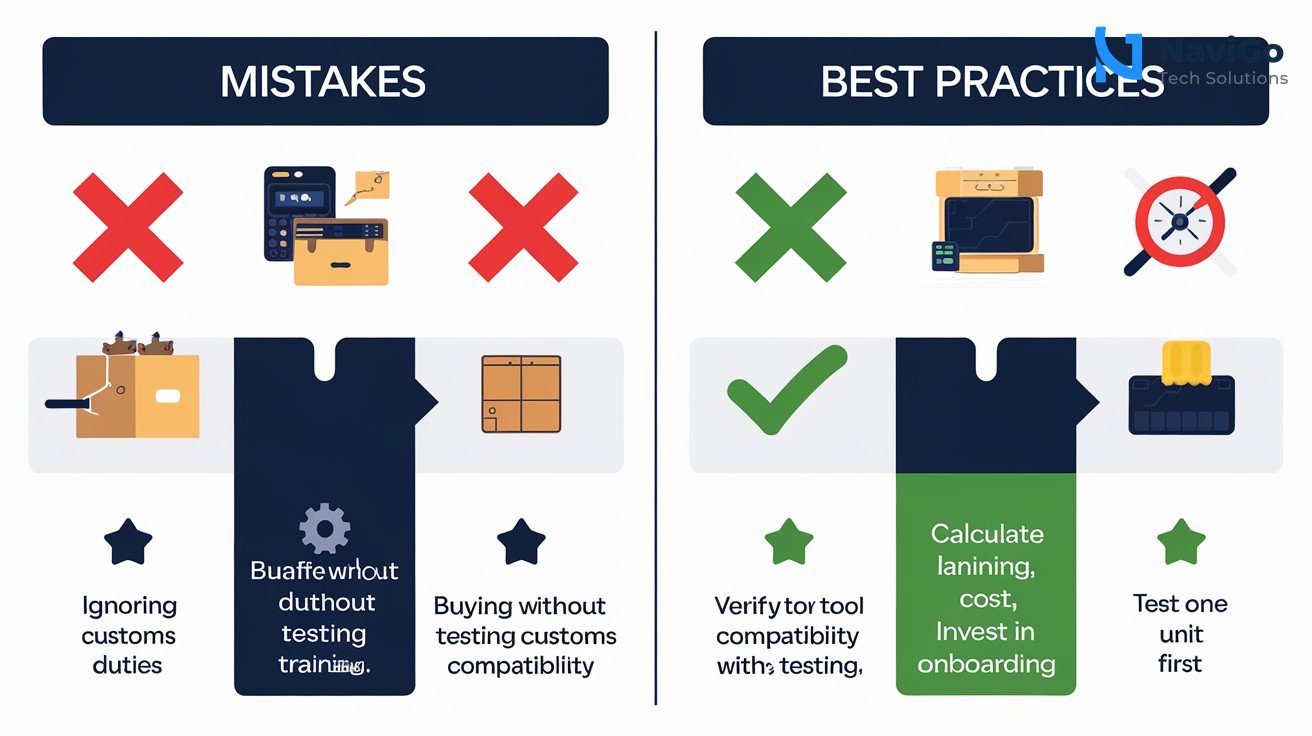
Buying imported hardware from India involves several pitfalls. Here are four common mistakes and how to avoid them.
Mistake 1: Ordering Without Checking Customs Duties and Import Fees
The Codex Micro is priced at $230, but the final cost in India will be higher. You need to account for customs duties, GST, and shipping fees. These can add 30 to 50 percent to the base price. Always check the landed cost before ordering. Some resellers may offer better pricing by importing in bulk. Compare prices across multiple channels.
Mistake 2: Buying Without Testing Compatibility With Your Existing Tools
The Codex Micro is designed specifically for Codex. It may not work seamlessly with other AI coding platforms or tools. Before investing, ensure your team uses Codex as their primary AI coding assistant. If you use multiple platforms, check if the keypad can be remapped to work with them. The Work Louder Input software supports generic shortcuts, but full agent integration is only available within Codex.
Mistake 3: Ignoring the Need for Training and Onboarding
A new hardware device requires time to learn. Your developers need to understand how to map keys, use the joystick, and interpret the RGB lighting. Without proper training, adoption will be low. Invest in onboarding sessions or hire a consultant to help your team get up to speed. At NaviGo Tech Solutions, we offer AI digital marketing and training services that can be adapted for hardware onboarding.
Mistake 4: Ordering a Single Unit Without Testing in Your Environment
If you plan to equip your entire team with the Codex Micro, start with one unit first. Test it in your actual work environment. Check for network connectivity, compatibility with your existing hardware, and noise levels. The silent version may be necessary for open-plan offices. Once you confirm it works well, order in bulk to get volume discounts and reduced shipping costs.
Codex Micro vs Other AI Tools and Keyboards
The Codex Micro is not the only device that helps with AI coding. However, it is the first one designed specifically for Codex. Here is a comparison with alternative tools and keyboards available in the Indian market.
The table below compares the Codex Micro with a standard mechanical keyboard, the Elgato Stream Deck, and a standard mouse and keyboard setup. The criteria include price in India, AI integration, customisation, learning curve, and overall value for Indian developers.
| Feature | Codex Micro | Standard Mechanical Keyboard | Elgato Stream Deck |
|---|---|---|---|
| Price in India | Rs 22,000 to 30,000 (incl. duties) | Rs 5,000 to 15,000 | Rs 10,000 to 20,000 |
| AI Integration | Native Codex support | None, requires third-party software | None, requires third-party software |
| Customisation | 6 programmable layers, remappable keys, joystick, dial, voice recorder | Limited to key remapping | 15 programmable keys, LCD buttons, macros |
| Learning Curve | Moderate, designed for power users | Low | Low to moderate |
| Best For | Heavy Codex users, AI agent management | General coding and typing | Streaming, generic macros, multiple apps |
| Overall Value | High for Codex users, low for casual users | High for general use | Medium for developers, high for streamers |
As the table shows, the Codex Micro offers unmatched integration with Codex. If your business relies heavily on AI coding agents, the Rs 20,000 investment is justified. For general coding or typing, a standard mechanical keyboard is more cost-effective. The Elgato Stream Deck provides generic macro support but lacks native AI integration.
For Indian developers who want to explore AI tools further, consider combining the Codex Micro with top 25 AI tools in 2026 to build a comprehensive AI-powered development environment. This combination can significantly boost productivity and reduce manual effort.
Not sure which tool fits your business?
Our team at NaviGo Tech Solutions will set it up for you — free 30-minute strategy call.